Camera count is a coverage decision, not a status symbol. For corporate event videography, the right setup follows what the video must do after the room clears: a tight highlight reel, a searchable session archive, a livestream for remote attendees, or some mix of all three.
This guide helps producers and marketers choose between single camera event coverage and multi-camera event video without buying gear you will not staff, or under-crewing a show that needs a live cut. Pair it with a solid video shoot day timeline and a clear production call sheet so load-in and show call stay honest.
Start with the coverage goal, not the camera cart
Ask what success looks like before you count cameras or crew.
Highlight reel. Short cuts for social, website, or internal recap. You need usable angles of speakers, audience reactions, stage moments, and B-roll texture. One skilled operator with a second locked wide can work for a small awards night. A panel, awards run-of-show, or keynote that must cut against slides usually wants more.
Full session archive. Complete talks for an LMS, intranet, or post-event portal. Continuity and clean audio matter more than fancy moves. A locked wide plus a dedicated close (or a careful single operator who never misses the speaker) often beats three cameras with nobody watching cards.
Livestream or hybrid. Remote viewers need a coherent show in real time. That pushes you toward live event multi-cam with a switcher (or a strong single camera with graphics overlays if the stage is simple). Archive quality and live polish are related, but they are not the same job.
Write the deliverable in one sentence on the call sheet, then set camera count to match that sentence.
What single-camera event coverage does well
Single camera is focused coverage, not a compromise label. It wins when the stage picture is simple and the edit can live with one primary angle plus pickups.
Locked wide keynotes. One camera on a solid tripod, framed to hold the speaker and enough stage for movement, with ISO and white balance locked. You can still grab cutaways later: audience, signage, coffee line, product table. Many conference video production days succeed this way when budget and crew travel are tight.
Small panels. Two or three people at a table, soft house light, predictable conversation. One operator can ride a gentle pan or punch in if they know the moderators. Risk rises when people talk over each other and you need simultaneous faces.
Budget and lean travel days. One experienced shooter who owns audio routing, cards, and backup batteries often outperforms a two-camera day with two juniors and no sound plan.
When the edit is the "second camera." If you can return for controlled interviews, product inserts, or leadership talking heads after the event, single-camera stage coverage plus a planned interview block can look richer than three unmanaged event angles.
Single camera fails when you promise simultaneous speaker, slides, and audience reaction without a second source, or a live cut one lens cannot deliver.
What multi-camera event video unlocks
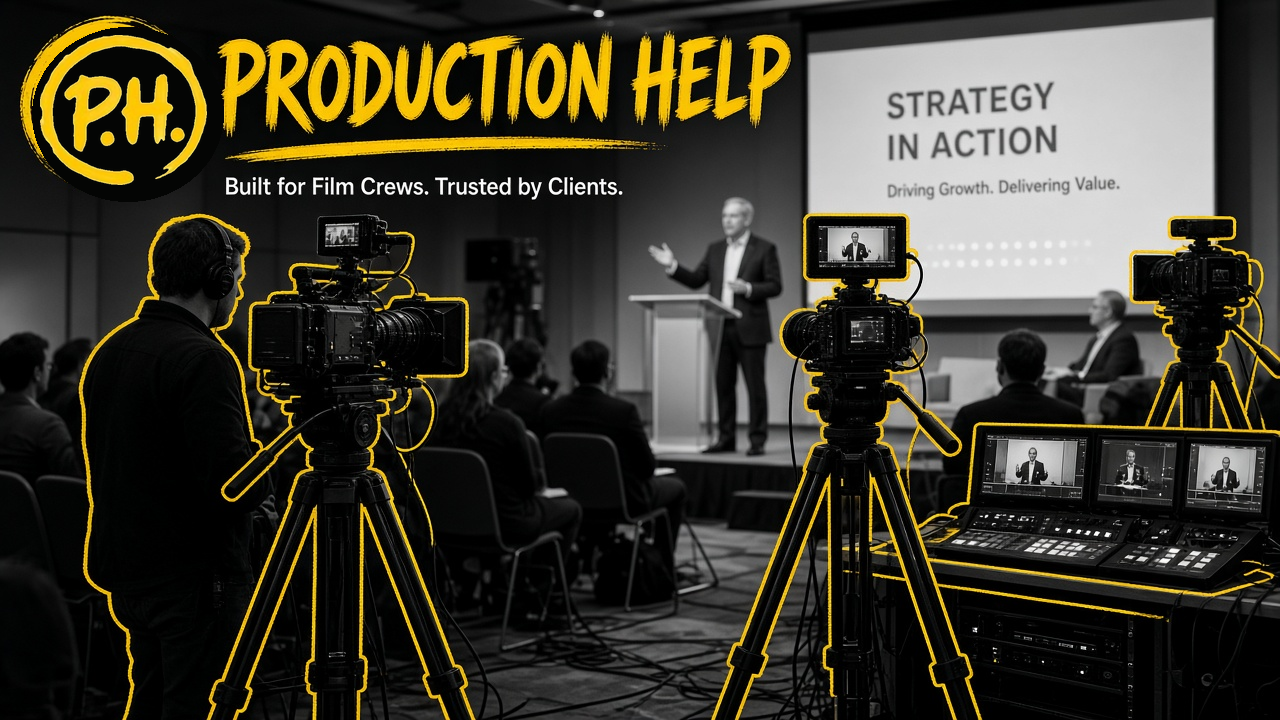
Multi-cam earns its keep when you need usable picture from more than one place at once.
Speaker + slides + audience. Keynotes that depend on deck detail need a clean slide feed (or a dedicated camera on the confidence monitor / IMAG) plus a speaker close and a safety wide. Viewers who only see a distant stage with unreadable charts will bounce.
Panels and town halls. Cross coverage lets you hold the person speaking without losing the rest of the table. It also gives the editor (or switcher) somewhere to go during pauses, laughs, and handoffs.
Awards and run-of-show. Entrances, name reads, trophy moments, and reaction seats move fast. Multiple angles reduce the chance that the name read or trophy handoff happens off-frame.
Live switch for hybrid rooms. Remote attendees experience the show as a directed cut. Live event multi-cam with a technical director (TD) and ISO recordings (if you can afford the record paths) gives you both a live program and safer post options.
Multi-cam does not automatically mean better. Unattended cameras, mismatched white balance, and no shared timecode create an expensive mess.
Live switch vs record-all-and-edit
Two common paths for conference video production:
Live switch (program cut in the room). A switcher or software switch takes ISO feeds and outputs a program feed for IMAG, livestream, or both. Crew is larger: camera ops, TD/switcher, and usually dedicated sound. Risk: a wrong punch or a frozen source goes out live. Polish: the show feels intentional for remote viewers immediately. Post can still rebuild from ISOs if you recorded them.
Record all angles, cut later. Every camera writes its own media. No live TD required. Crew can be smaller if operators are solid and someone owns media management. Risk: nobody notices a soft focus or dead battery until wrap. Polish: editors can craft pacing, fix awkward pauses, and rebuild around audio. Turnaround is slower and more expensive in post hours.
A hybrid is common: soft live cut for the stream, ISOs for the heavier deliverable. Decide early so recording paths, disk, and staffing match.
Switcher vs multicam edit decides when the cut is locked. Live switch locks during the show; multicam edit locks in post. Match the path to budget, risk tolerance, and due dates.
Audio is usually the real bottleneck
Pretty pictures of a muddy keynote still fail. Corporate rooms fight you with HVAC, lavs that drop, and boards nobody labeled.
Plan audio like coverage, not like an afterthought:
- Confirm who owns the house board and whether you get a clean feed (and in what connector).
- Prefer a dedicated mix for record/stream when possible, separate from the room PA.
- Lav or headset on primary speakers when stage mics are inconsistent; keep a backup path.
- Room or audience mics only if you need reaction; they raise noise fast.
- Someone watching levels for the full program, not a camera op glancing between shots.
If the board feed is dirty, your multi-camera event video inherits that dirt on every angle. Fix the chain before you add another camera.
Lighting and venue constraints (keep expectations honest)
Event lighting is often owned by the venue or the show lighting designer, not the video crew. House looks, colored washes, and bright IMAG screens change what cameras can hold.
Practical habits:
- Walk the stage under show light, not only work light, during load-in if you can.
- Agree whether video needs a presentable face or must live with theatrical color.
- Watch IMAG and LED walls for flicker and exposure fights; spot-meter faces, not the brightest screen.
- For interview or breakout rooms pulled off the main stage, you may control light again. That is closer to choosing video lighting for interviews than to ballroom show looks.
If you do not control the stage plot, sell readable coverage under show light, and escalate early if faces fall apart on the monitor.
Crew roles when you go multi-cam
Staff for the failure modes you cannot afford on show day.
Camera operators. One per moving camera if framing must track speakers. Locked wides can be set-and-forget with a trusted person checking periodically.
Switcher / TD. Owns the live program, source health, and communication to cameras. Essential for livestream polish.
Sound. Owns feeds, backups, and record mix. On bigger shows this is not optional multitasking.
Media manager / DIT-lite. Especially when recording many ISOs: cards, backups, naming, and handoff to post.
Producer / show caller liaison. Keeps video aligned with run-of-show, speaker changes, and sudden schedule slips.
Staffing decisions belong in how to hire film and video production pros. Lock camera ops, sound, and (if live) a switcher/TD for the deliverable and live risk before the contract is signed.
Call sheet and timeline reminders for event days
Events punish vague call times. Load-in, cable paths, and show call are different clocks.
Put on the call sheet and day plan:
- Earliest access, dock rules, and union or venue constraints if any apply
- When show lighting and audio are hot for camera tests
- Camera positions taped and approved before doors
- Record format, backup workflow, and who holds the master cards
- Livestream go-live time vs doors vs program start (they are rarely the same)
- Hard out and strike order so you do not strand gear behind a locked ballroom
Use the call sheet guide for the document shape, and the shoot day timeline for sequencing call, test, show, and wrap. Event days compress all of that against a run-of-show you do not fully own.
Practical decision checklist: single vs multi
Use this before you lock the bid or the crew list.
Lean single-camera when:
- Deliverable is a highlight reel or simple archive of one speaker at a time
- Stage picture is predictable; slides are secondary or provided as clean graphics later
- No livestream, or livestream can be a stable single wide with lower graphics needs
- One senior operator can own picture and a sane audio path
- Post time exists to add cutaways and interviews
Choose multi-camera event video when:
- You need speaker + slides + audience (or panel cross-coverage) in the same deliverable
- Livestream or IMAG needs a directed cut
- Awards, demos, or run-of-show move faster than one lens can follow
- Stakeholders expect ISO safety and alternate angles in post
- You can staff camera ops, sound, and (if live) a switcher/TD honestly
Either way, confirm:
- Coverage goal written in one sentence on the call sheet
- Audio plan with a named owner
- Record and backup plan tested before doors
- Venue light and IMAG constraints reviewed on a monitor, not assumed
- Deliverable due dates match live switch polish vs multicam edit labor
Bottom line
Lock the coverage goal and a named audio owner before you add a second camera. Put load-in and show call on the call sheet, sequence test and wrap with the shoot day timeline, and staff the roles the show actually needs (hiring production pros).